
How to Fix an Awkward Smile in a Photo (Without Reshooting)
Forced grin, tense mouth, smile that never reaches the eyes? Here is how to fix an awkward smile in a photo — from picking a better frame to an AI expression retake that still looks like you.
 RefireCam Team
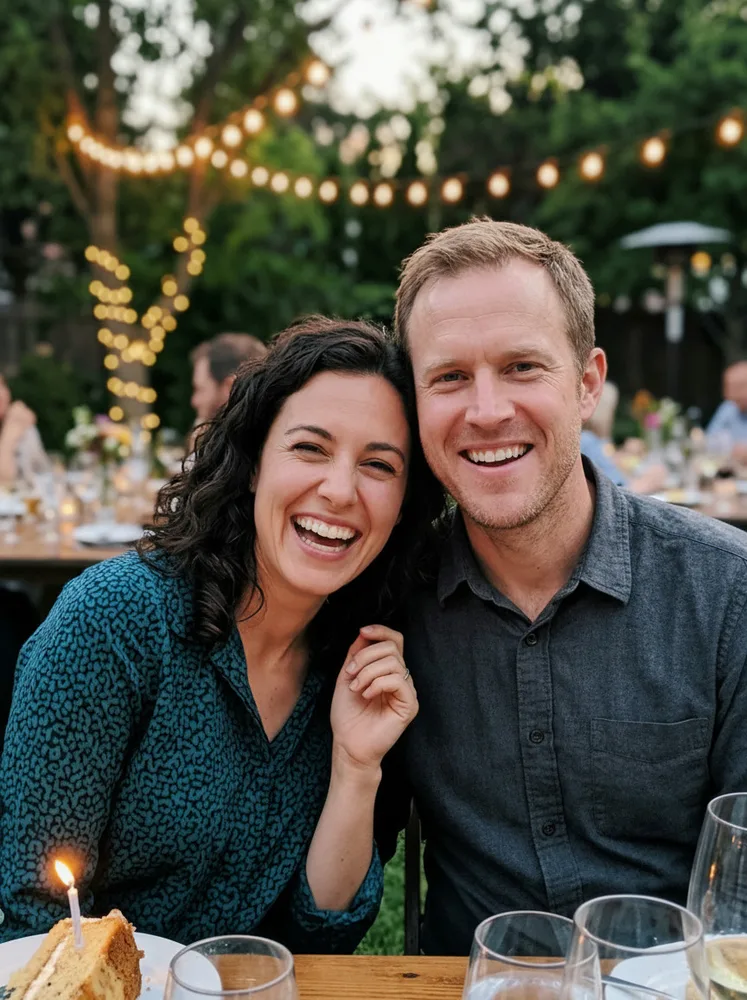
The photo is almost perfect. Your smile is not.
Everyone else looks relaxed. You look like someone said "cheese" and your face obeyed too hard — teeth locked, cheeks tight, eyes somewhere else. By the time you notice, the group has scattered and a reshoot is off the table.
You do not need to delete it. Here is how to fix an awkward or forced smile in a photo, from free checks to a one-tap AI retake.
Why forced smiles look wrong
A real smile is a full-face event. The mouth softens, the cheeks lift a little, and the eyes narrow. Camera anxiety short-circuits that. You get:
- A tense closed-mouth smile — lips pressed, jaw clenched.
- A tooth-baring grin that never reaches the eyes — the classic "say cheese" look.
- An almost-smile — you were mid-blink, mid-talk, or mid-laugh when the shutter fired.
None of this means you "cannot smile." It means the camera caught a pose, not a moment. Same problem family as a blink or a blurry frame: one detail ruins a shot that is otherwise keepable.
Fix 1: Check Live Photo or burst first (free)
Before you edit anything, scroll the frames you already have.
On iPhone, open the photo → Edit → browse the Live Photo frames. On Android, check the motion photo or burst stack. One frame earlier, your mouth is often softer — or someone else looks worse, so you can trade.
The catch is the same as with blinks: burst frames can be softer, and the "good" expression for you may be a worse one for someone else in a group shot.
Fix 2: Soften it yourself (prevention next time)
If you are still with people, shoot five, not one. Between shots, drop the pose: look down, laugh at something dumb, then look up. Photographers do this so the next frame catches a real micro-expression.
If the moment is gone, skip to the next fixes. Holding a smile longer only makes it worse.
Fix 3: Manual liquify or mouth tools (slow)
Desktop editors can nudge mouth corners with liquify or smile sliders. It works when the change is tiny and you know what you are doing. For most people it is twenty minutes of "uncanny valley" — the mouth moves, the eyes stay dead, and the face no longer looks like you.
Worth knowing. Rarely worth doing for a casual group photo.
What will not fix a forced smile
- Cartoon smile stickers or face filters. Fun for stories; wrong for a keepsake.
- Heavy beauty filters. They smooth skin and warp jawlines. They do not recreate a natural expression.
- "Enhance" buttons that only sharpen. A forced smile is an expression problem, not a sharpness problem.
If the tool does not understand faces as faces, it cannot fix a smile.
Fix 4: Let AI retake the expression (one tap)
Modern AI photo retake tools do not paste a stranger's mouth onto your face. They look at your face in the frame — and often at other photos of you — and regenerate just the expression while keeping identity, light, and background.
A good result keeps three things:
- Identity. It still looks like you.
- The scene. Clothes, background, and lighting stay put.
- Everyone else. In a group shot, only the face that needs help should change.
Here is an expression retake from our own pipeline — tense on the left, softened on the right:
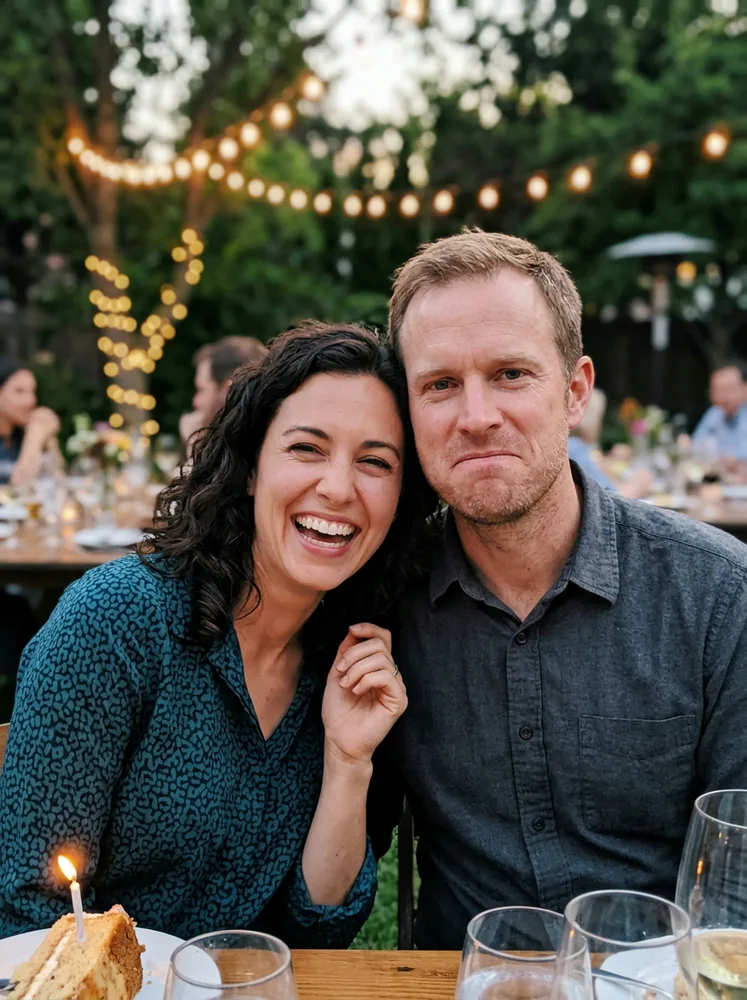
Seconds, not layers. No "can everyone get back together?"
When to use which fix
- Live Photo or burst exists? Scroll frames first.
- Still at the scene? Shoot more; break the pose between shots.
- One great photo, one awkward smile, no other frames? AI expression retake.
We built RefireCam for almost-perfect photos — blinks, blur, expressions, and lighting — without turning your face into a filter. Upload the shot, retake the part that went wrong, keep the rest. No weekly subscription traps; see exact pricing on our pricing page. Photos are deleted after processing.
Related reads: fix a blink, fix a blurry photo, and why $9.99/week photo apps exist.
Do not delete the photo. Fix the smile.