
How to Remove a Photobomber From a Photo (Cleanly)
Stranger in the background of an otherwise perfect shot? Here is how to remove a photobomber from a photo — when clone tools work, when AI removal helps, and what not to fake.
 RefireCam Team
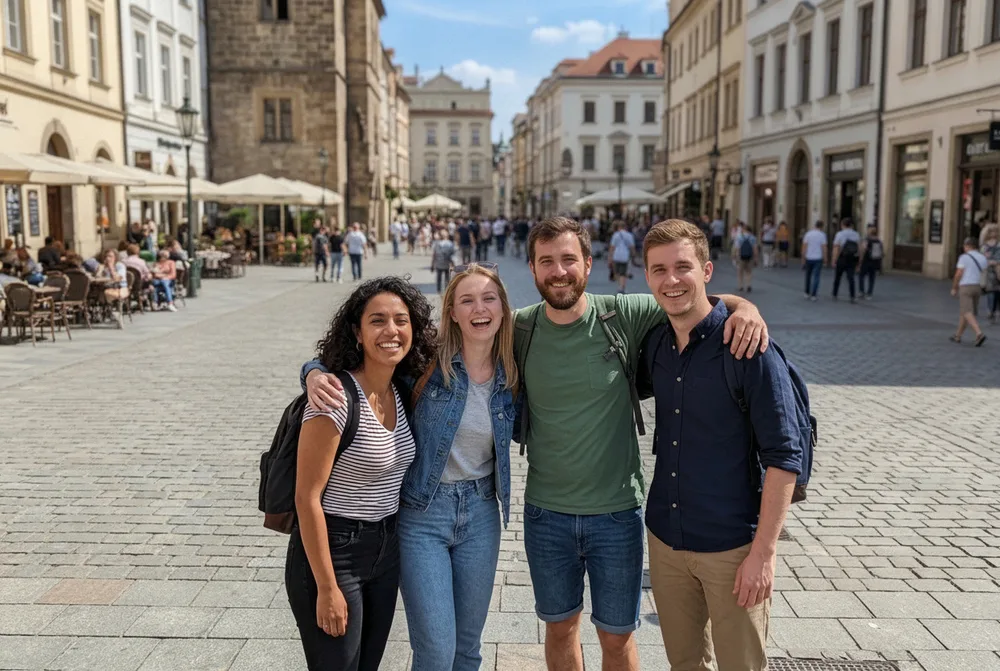
The couple looks great. The tourist in the red jacket does not belong.
Photobombers ruin frames that are otherwise keepable — travel landmarks, beach proposals, school plays. You do not always get a second empty second.
Here is how to remove a photobomber from a photo without turning the background into mush.
When removal is the right job
- One or two people at the edge or mid-distance clutter.
- Background is simple-ish (sky, wall, hedge, sand) so fill has something to copy.
- The main subjects' faces are already fine — you are not also fighting a blink (if you are, fix the blink first or as a separate pass).
Hard mode: dense crowds, patterned fences behind the stranger, hair overlapping the bomber. Expect artifacts; shoot again if you still can.
Fix 1: Crop (free, underrated)
If the bomber is on the margin, crop. You lose resolution; you keep truth. For social crops this is often enough.
Fix 2: Native heal / clone on phone
iOS and Android editors, plus Photos apps, can heal small spots. Works for a distant head against sky. Fails when the bomber overlaps your subject's shoulder — you will smear clothing.
Fix 3: Desktop content-aware / generative fill
Photoshop-class tools are still strongest for complex backgrounds. Cost and skill apply. For one vacation photo, that may be overkill.
Fix 4: AI remove-people tools
Modern AI can erase mid-ground strangers and invent plausible background. A good result:
- Leaves your faces untouched.
- Does not invent a second bride.
- Keeps light direction consistent.
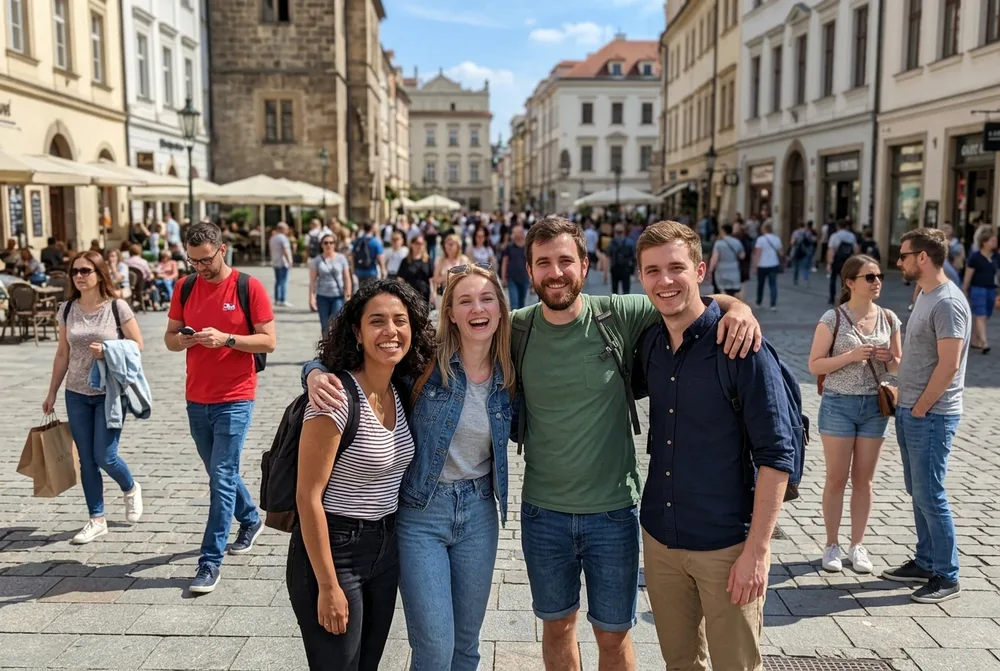
Use AI when crop cannot save composition and heal leaves smears.
What not to do
- Do not erase people from news, evidence, or anything that must stay documentary.
- Do not "remove" an ex from every archive if the goal is rewriting history for a custody fight — get advice; tools are not therapy.
- Do not stack five beauty filters after removal; you will notice the patch.
How this fits with retake
Removal is a cousin of AI photo retake: both rescue a moment you cannot restage. Retake fixes your face; removal fixes who else is in the frame.
RefireCam includes people-removal in the rescue toolkit alongside blink, blur, expression, and lighting. Soft CTA — see pricing. Photos deleted after processing.
Related: wedding group rescue, family groups.
Keep the couple. Lose the jacket.